From process concept to checked flowsheet and cost estimate.
Flowify helps mineral process engineers build the circuit, develop the design basis, check performance, estimate the project, and prepare work for review.
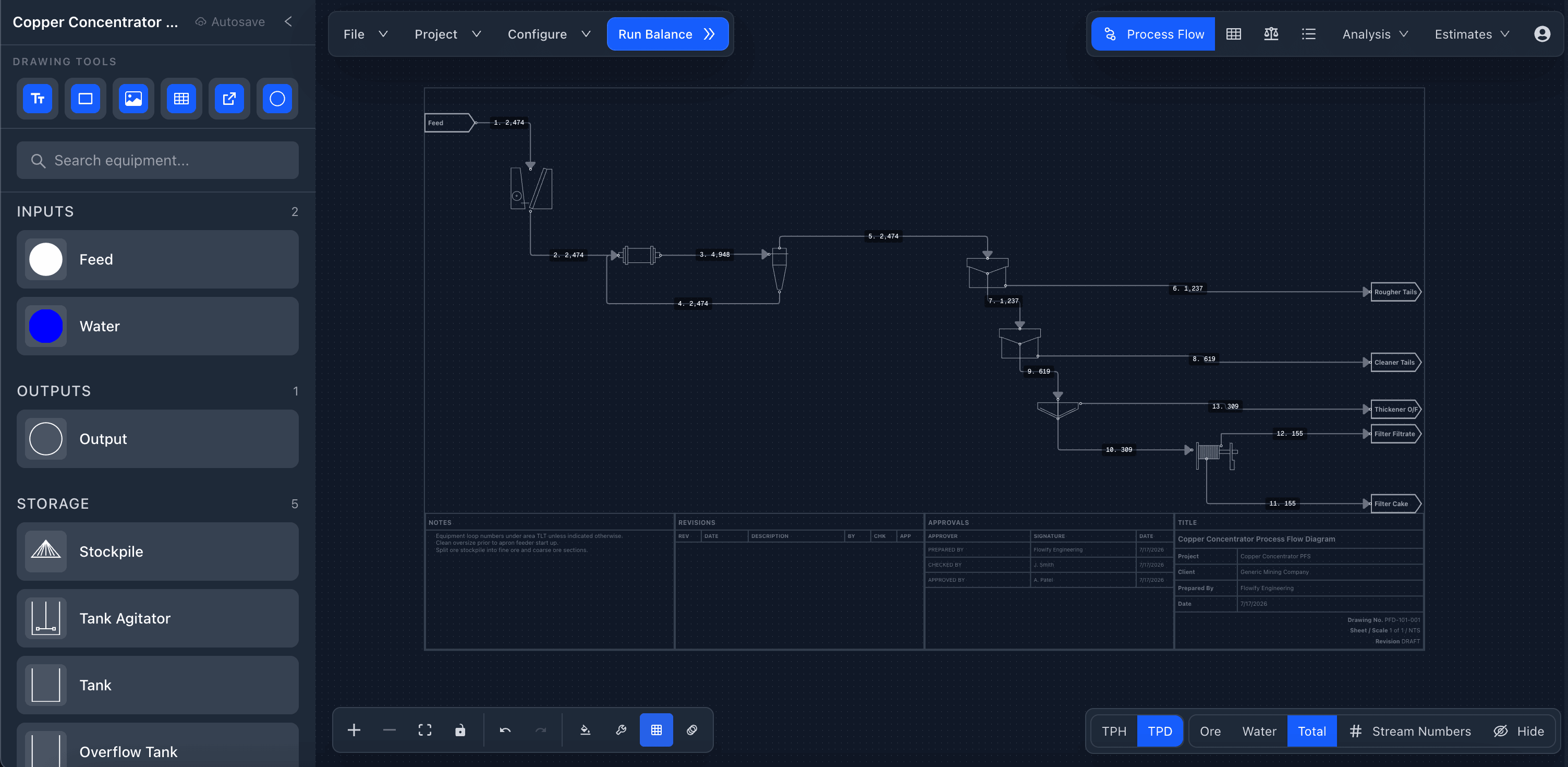
The drawing, process calculations, equipment records, estimates, and review outputs share one project basis—so changes remain visible across the workflow.
Turn a circuit concept into a reviewable process drawing.
Lay out the process quickly, then keep the drawing structured as the circuit grows from a single flowsheet into a larger project.
- Drag and drop common crushing, grinding, flotation, conveying, pumping, storage, and utility equipment.
- Connect process streams and organize larger projects across multiple linked flowsheets.
- Apply equipment tags, stream numbers, labels, drawing styles, and configurable title blocks.
Keep design inputs beside the equipment they define.
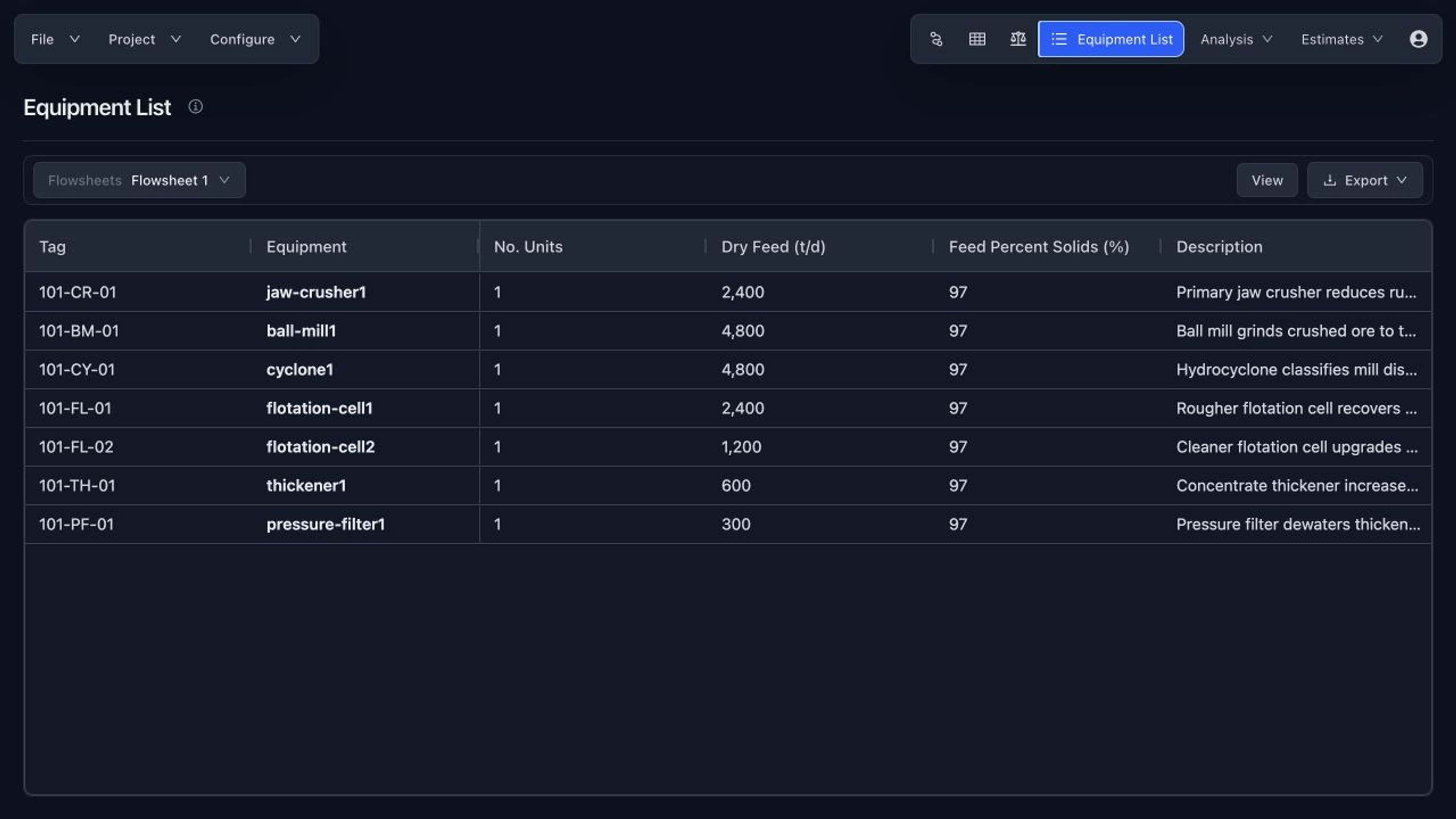
Move from drawing symbols to a usable engineering basis without rebuilding the equipment register in a separate workbook.
- Capture stream properties, component assays, percent solids, and particle-size-distribution inputs.
- Maintain equipment datasheets, operating duties, dimensions, power, and class-specific sizing calculations.
- Record project design criteria, estimate basis, confidence, and tracked engineering assumptions.
- Review the equipment list across one flowsheet or the full process project.
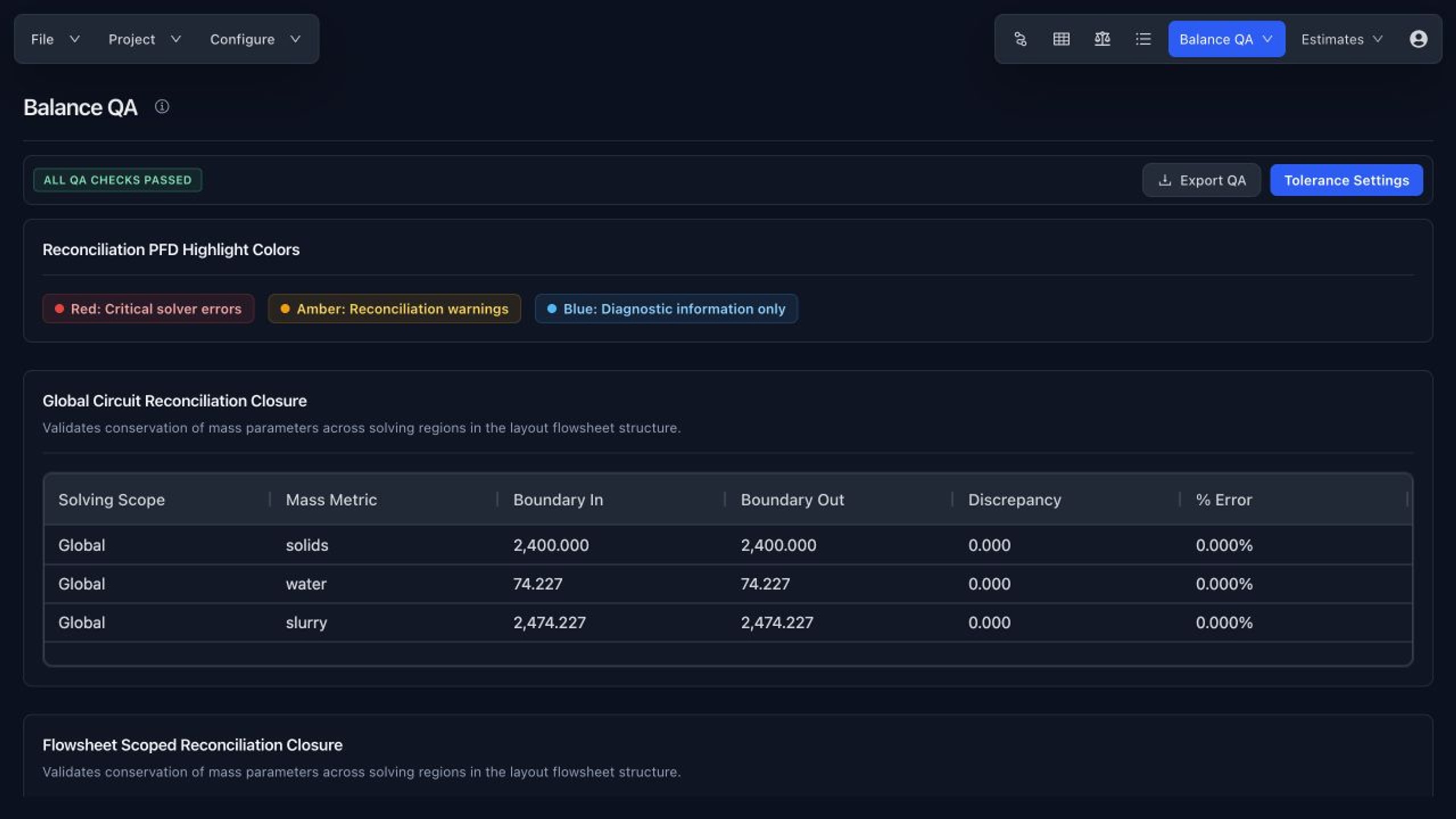
Find imbalance and missing assumptions before review.
Use the flowsheet as a calculation model, then inspect the results through dedicated process and metallurgical QA views.
- Run simple or PSD-aware mass balances and review calculated stream values on the drawing.
- Check global and flowsheet-scoped closure against configurable tolerances.
- Trace solver warnings, unresolved inputs, and out-of-tolerance diagnostics in a structured issue register.
- Audit grades, recoveries, mass pull, deportment, size-by-size performance, and leach extraction.
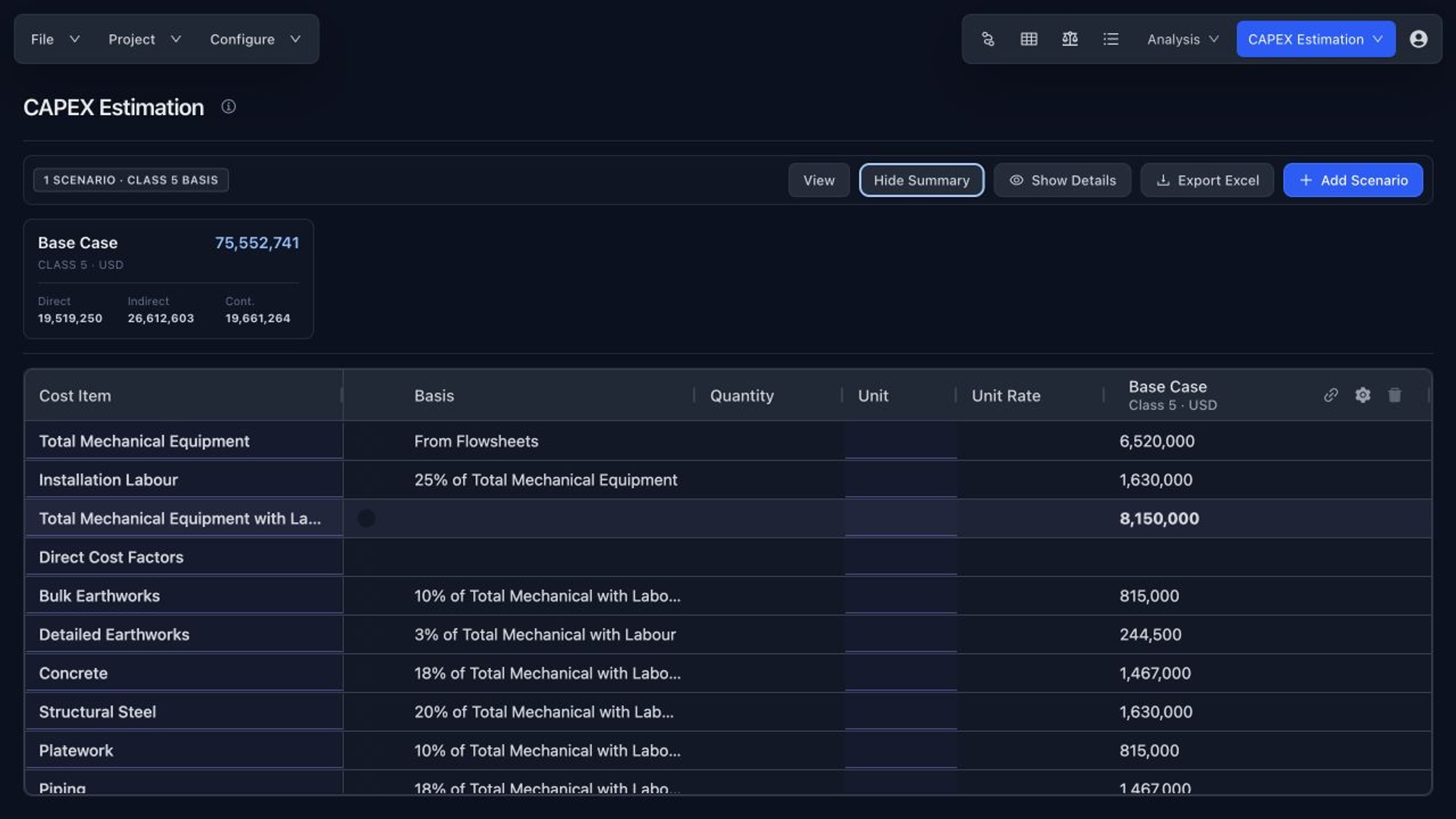
Carry the process basis into early project economics.
Build auditable estimate scenarios from the same equipment and flowsheet scope used to develop the process design.
- Populate mechanical equipment quantities from selected flowsheets and equipment records.
- Compare editable CAPEX scenarios with estimate class, currency, escalation, contingency, quote status, and confidence.
- Model annual OPEX categories, unit costs, maintenance assumptions, and flowsheet scope.
- Export CAPEX, OPEX, equipment, QA, and metallurgical tables to Excel for downstream analysis.
Package engineering work for a controlled review cycle.
Share the design with reviewers, preserve the engineering basis, and keep formal drawing history attached to the project.
- Save and manage process-design projects with automatic persistence of flowsheets and engineering data.
- Create view-only links so reviewers can inspect the flowsheet, calculations, estimates, and supporting views.
- Export flowsheet drawings, PDFs, spreadsheets, reports, and study-stage deliverable packages.
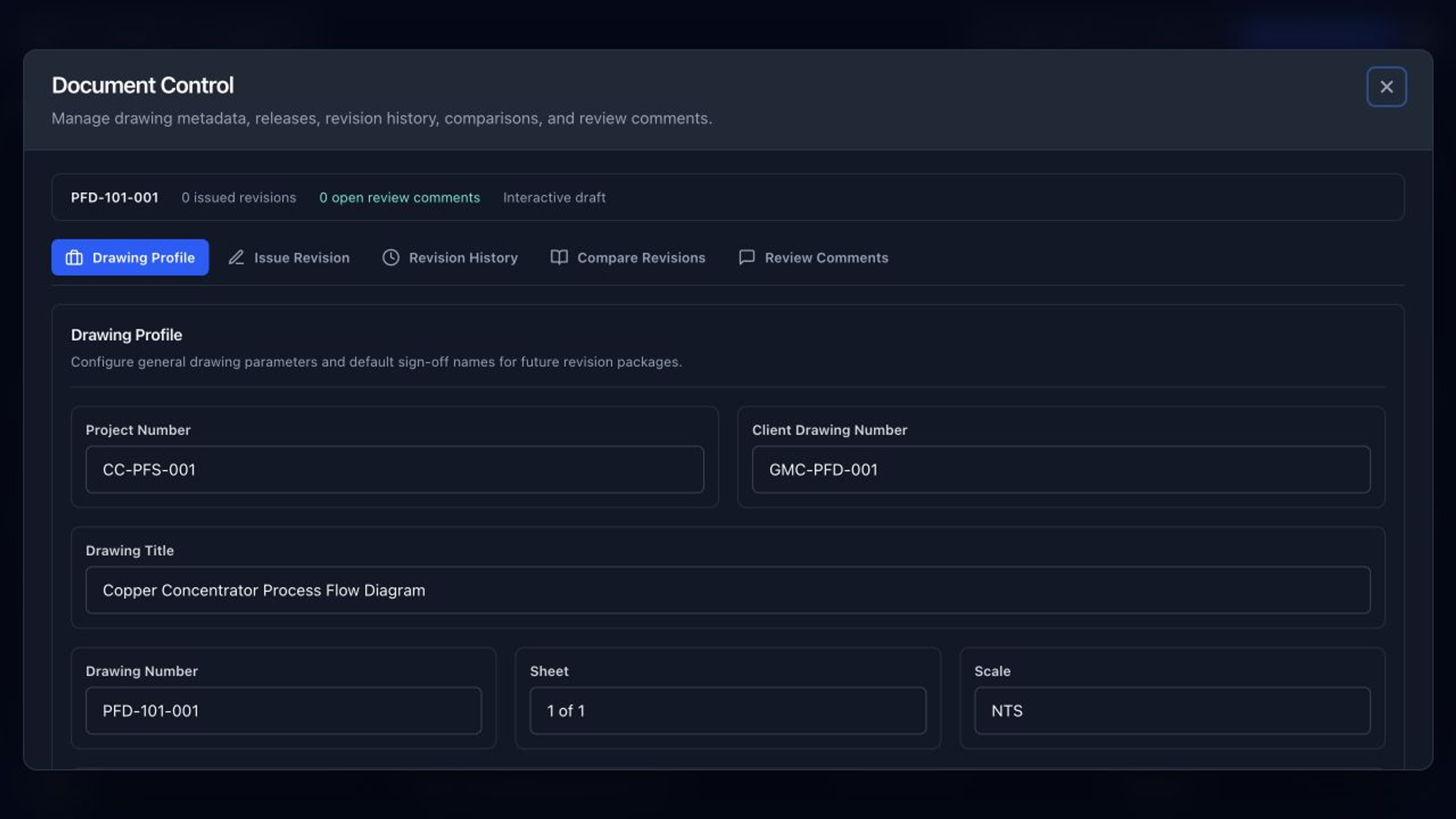
- Issue locked revisions, compare snapshots, resolve anchored review comments, and export the revision register.
Build your first process flowsheet.
Flowify is free to use. Start with the process drawing, then add calculations, estimates, and review controls as the design develops.